
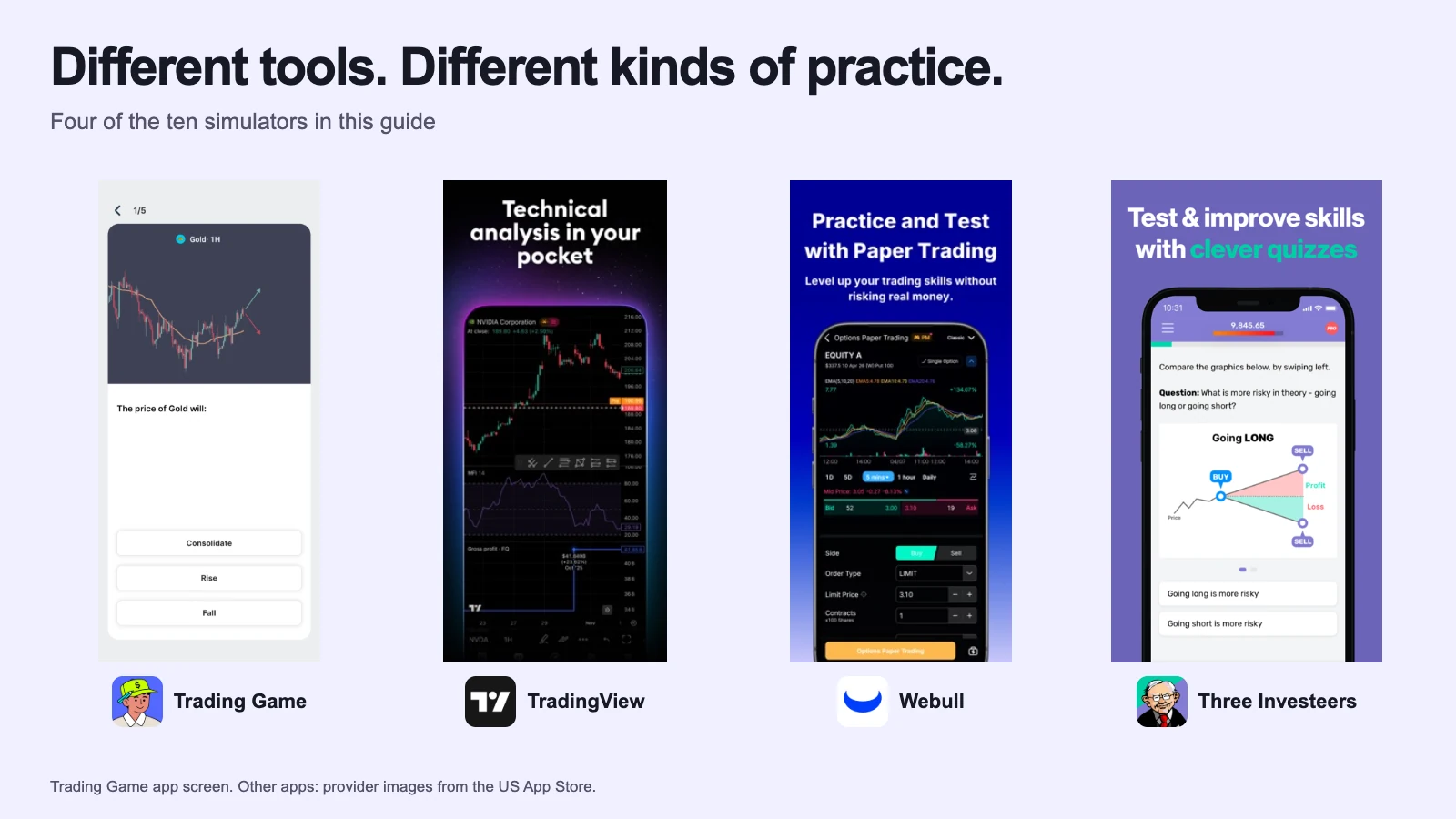
Stocks & investing
Best Stock Market Simulators (2026): 10 Compared
Ten stock market simulators compared through practical choices, recent user comments, free lessons, chart controls, broker workflows and classroom tools.
Investopedia suits a free US-stock portfolio or class game. Trading Game puts lessons and feedback beside practice on a phone. The choice turns on what you want to learn, with recent account-access reports worth checking before you settle in.
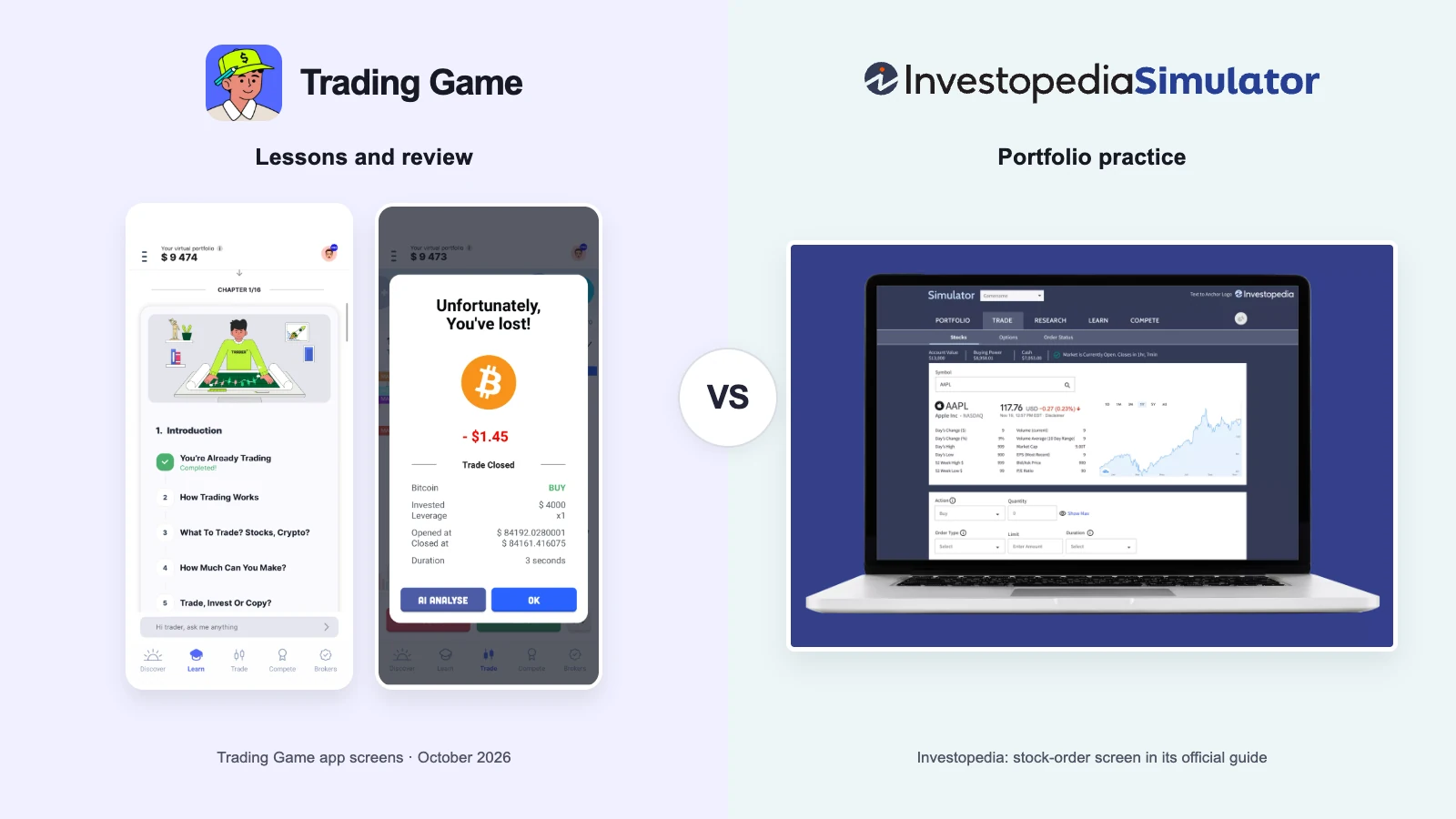
Investopedia fits a portfolio builder: 6,000-plus US stocks, limit orders and options, custom games, and no paid tier.
I would choose Investopedia for a free, slow-moving portfolio of US shares and ETFs, especially for a class or investing club. Its broad stock list, custom games and fuller order ticket serve that job well. I would choose Trading Game when the immediate question is what a chart means and how to practise a decision, with a lesson and feedback close at hand.
The difference is more useful than a feature count. Investopedia lets you decide what to buy and follow the portfolio over time. Trading Game gives a beginner more help forming and examining the decision. Investopedia's make it a poor fit for practising an immediate reaction to a live price; they matter much less to a portfolio you review weekly.
Recent user feedback adds a practical condition to both recommendations: check access first. One Investopedia simulator user reported sign-in and email-management trouble in October; a Trading Game user reported a trading-screen connection error. Neither report establishes a general failure, but a free trial of your intended workflow is more useful than trusting either brand name.
Each row is one thing a beginner bumps into in the first week. The last column says which product fits it better, and why.
| What you need | Trading Game | Investopedia Simulator | Better fit |
|---|---|---|---|
| Starting money | You pick on the first screen: $500 to $10,000, and $200 is offered | $100,000 in the default game (per reviews); a game owner sets the amount when creating a game | Trading Game. The default game hands you $100,000, per reviews; an owner can set less, but you must run a game to get it. Starting with $500 on the first screen keeps the arithmetic honest. |
| Price data | Real time, several updates a second | Quotes delayed about 20 minutes; orders fill about 20 minutes after you place them | Trading Game. Investopedia's help centre says so, and says there are no plans for real-time quotes. You cannot practise timing on a clock that runs twenty minutes behind. |
| Markets | About 220 assets: stocks from four exchanges, 15 ETFs, indices, commodities, forex, crypto | Over 6,000 NYSE and Nasdaq equities, ETFs, options and select crypto, in US dollars only | Either. Investopedia for a specific US company, which it almost certainly lists. Trading Game for currencies, commodities or a stock from London, India or Tokyo. |
| Lessons | 150+ lessons in a 16-chapter path, with quizzes | No ordered curriculum; tooltips and Answers link to the investing reference library | Trading Game. Investopedia's tooltips define terms as you meet them; they do not put lessons in an order. Trading Game's path does. |
| Feedback on your trades | AI reads your chart, explains, and reviews closed trades | An Answers tool: ask a question, get article links and an AI summary (per the Sept 2026 guide). No trade review; you read your own numbers | Trading Game. Trading Game's review is in beta and says it can be wrong, but it comments on the trade you made. Investopedia's Answers tool explains concepts, not your trade. |
| Charts | Indicators, drawing tools, 10 timeframes down to 15 seconds | Not described on its pages; reviews call the charts basic, with no indicators | Trading Game. Investopedia is built for portfolio practice; if chart reading is what you want to learn, it is not the place. |
| Order types | Market entry with take profit and stop loss | Market, limit and stop; day or good-till-cancelled; short selling; options | Investopedia Simulator. If the thing you want to rehearse is an order ticket, Investopedia has the fuller ticket. |
| Mobile | iPhone, iPad and Android apps | No app; the website works in a phone browser | Trading Game. Investopedia's FAQ says there is no app; its site works in a phone browser. Trading Game is built as an app. |
| Price | Free with ads; Pro $19.99 a month or $54 a year on the current offer | Free, no paid tier | Investopedia Simulator. Everything Investopedia offers is free. Trading Game keeps its deeper courses and the full AI coach for Pro. |
| Games and motivation | 10-minute 1v1 battles, daily pattern hunts, weekly leaderboards | Public and private games with rankings and no player limit | Either. A ten-minute battle and a semester-long game teach different habits. Pick the one you will keep playing. |
| When and where | 100+ countries; forex generally 24/5 and crypto 24/7 | Stock orders follow US market hours and use US dollars; portfolio values update nightly | Trading Game. Investopedia’s stock simulator follows US market hours. Trading Game’s forex practice generally follows the trading week, while crypto is available through the weekend. |
Most cells come from the product's own site, help centre or app-store page, read on 23 October 2026. Two Investopedia items, the $100,000 default and the plain charts, come from third-party reviews and are marked so. Where a company does not say, the cell says so.
| Trading Game | Investopedia Simulator | |
|---|---|---|
| Starting money | You choose on the first screen: $500 to $10,000 by the site (default $10,000); $200 is also offered | $100,000 in the default public game, per third-party reviews; the amount is a game setting owners choose when creating a game and cannot change afterwards |
| What it costs | Free with ads. Pro removes ads and includes everything: $19.99 billed monthly, or a yearly plan shown at $54 on the current offer (list price $89) | Free; no paid tier |
| Sign-up | Download and start; a free account saves progress | Free sign-up; no deposit or financial information |
| Where it runs | iPhone and iPad (iOS 15+), Android. Web version listed as coming soon | Web only; mobile-responsive in a phone browser; no app |
| What you can trade | 220+ assets: stocks from NYSE, LSE, NSE and Tokyo, 15 ETFs, indices, commodities, forex pairs and crypto | Over 6,000 NYSE and Nasdaq equities, ETFs, options (buy calls and puts; writing not supported) and select cryptocurrencies; US dollars only; no forex, futures, commodities, mutual funds or other exchanges |
| Price data | Real time; prices update several times a second | Quotes delayed about 20 minutes and orders filled about 20 minutes after placing; Investopedia says it has no plans to add real-time quotes. The FAQ says to allow 20 to 30 minutes for a fill; nothing fills outside US market hours or on US bank holidays |
| Order types | Market entry with trade size and leverage (1x to 50x on the ticket, per the app screenshot), take profit and stop loss set on the ticket | Market, limit and stop; buy, sell, sell short, buy to cover; day or good-till-cancelled; margin in the default game |
| Simulated fees | None shown; spreads apply | $19.95 per market order and $29.95 per limit or stop order by default; a game owner can set other rates |
| Lessons | 150+ Academy lessons in a 16-chapter path with quizzes (basic lessons free, all in Pro); a 28-day plan; Pattern Hunter daily quiz; 20+ Quick Reads book summaries (one free a month) | No lessons inside the simulator; tooltips for key terms. Investopedia's articles, tutorials and glossary are a separate site |
| AI and feedback | Chart Intelligence reads the open chart, draws the levels and explains its view with a confidence level (beta; its help page says it can be wrong). A closed-trade review beside the chart. AI Trading Coach: a taste each week free, full conversations in Pro. Copy to Chart: 2 free, unlimited in Pro | No trade review or chart reader on the simulator pages or help centre; the Sept 2026 simulator guide lists an Answers feature (ask a question, get article links and an AI summary) |
| Charts | Candlestick and line charts, drawing tools, indicators (moving averages, RSI, volume, Bollinger Bands, VWAP), 10 timeframes from 15 seconds to 1 month | Not described; third-party reviews call the charts basic with no indicators |
| Games and contests | 10-minute 1v1 Trading Battles against a friend, the AI or anyone; weekly leaderboards; daily pattern hunts | Public and private games with rankings; no limit on players; owners set start and end dates, starting cash, margin, short selling, options, commissions, a market delay and diversification rules |
| Who can use it | Worldwide; the site says 100+ countries, including the US, Canada, UK and Australia. App Store age rating 4+ | Not stated; usable from Canada but in USD on US exchanges only; Canadian-dollar games were removed in the move to the new simulator |
| Languages | Six in the app (the App Store listing shows English) | English |
| Trading hours | Follows each market; forex generally 24/5 and crypto 24/7 | US market hours 9:30 to 16:00 ET; trades placed outside are processed after the next open; account value updates nightly after the close |
| Starting over | Pick a new balance when you start over | One portfolio per game; reset only if the game owner allows it; you can join several games; owners cannot delete a game |
Try it yourself
Sort each goal to the simulator that fits it better, by the facts above.
Trading Game for live charts, $500 budgets and feedback. Investopedia for thousands of US stocks, a fuller order ticket and class games.
What would you expect?
What this shows: Neither simulator is better at everything. Each is better at a different question.
Investopedia is a portfolio game with a brokerage-style ticket and a long list of US stocks. Trading Game is a practice loop with a review after each trade. Match the tool to the question you are asking this week.
The custom game is the main attraction. Investopedia lists over 6,000 US stocks and ETFs, call and put options (buying only, no writing), select cryptocurrencies and short selling. The default game also has margin. A game owner can set starting cash, commissions, a market delay and a diversification rule, with no player limit. That gives a teacher or club a shared set of rules instead of thirty unrelated practice accounts.
Check the pretend commissions before the first order. Investopedia's FAQ lists $19.95 for a market order and $29.95 for a limit or stop order, explaining that the charges demonstrate how costs affect returns. A game owner can lower them. I would match those settings to the brokerage costs being studied: a deliberately expensive simulated ticket teaches a cost lesson, but it does not automatically represent the account you might use.
The delay changes what you can learn. Investopedia uses a delayed exchange feed: quotes are about twenty minutes old and orders fill about twenty minutes after placement. Its help centre explains that immediate fills against delayed quotes could let someone with real-time data exploit the gap. For a portfolio held over months, that is usually a small part of the exercise. For practising an immediate response to a moving price, it changes the task completely. You can still study a chart; you cannot treat it as a live timing drill.
The account value updates once a night. The portfolio guide says the account value refreshes after the market closes, so the headline figure can lag the holdings table beneath it.
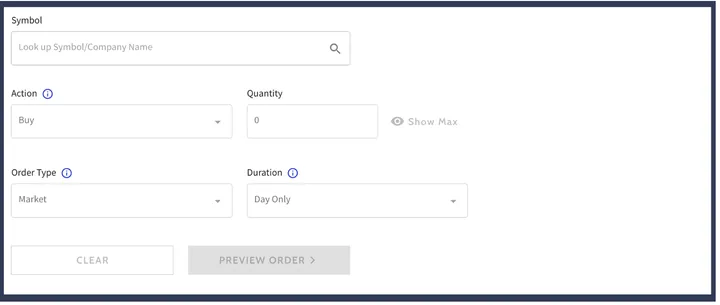
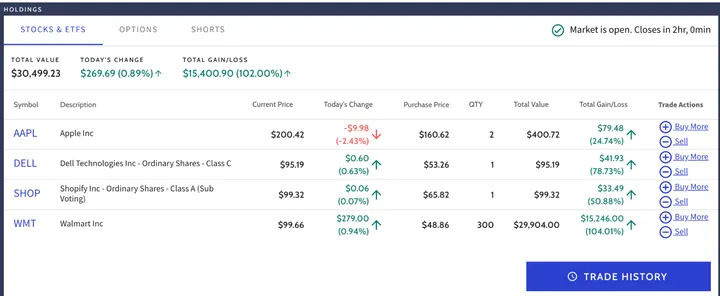
A familiar publisher does not remove account friction. Carol Konchan says she signed up to try the investing simulator, continued receiving emails after asking to opt out, and could no longer sign in (Trustpilot, 2 October 2026). This is one simulator-specific account complaint, rather than evidence that sign-in or unsubscribe problems affect everyone. It is enough to change the setup advice: before committing a class or a long-running portfolio, confirm that you can sign back in and find the account and email controls.
Canadian readers should also note that the newer simulator removed Canadian-dollar games. You can still practise US-market investing in US dollars, but that is a different exercise from modelling a Canadian-dollar account.
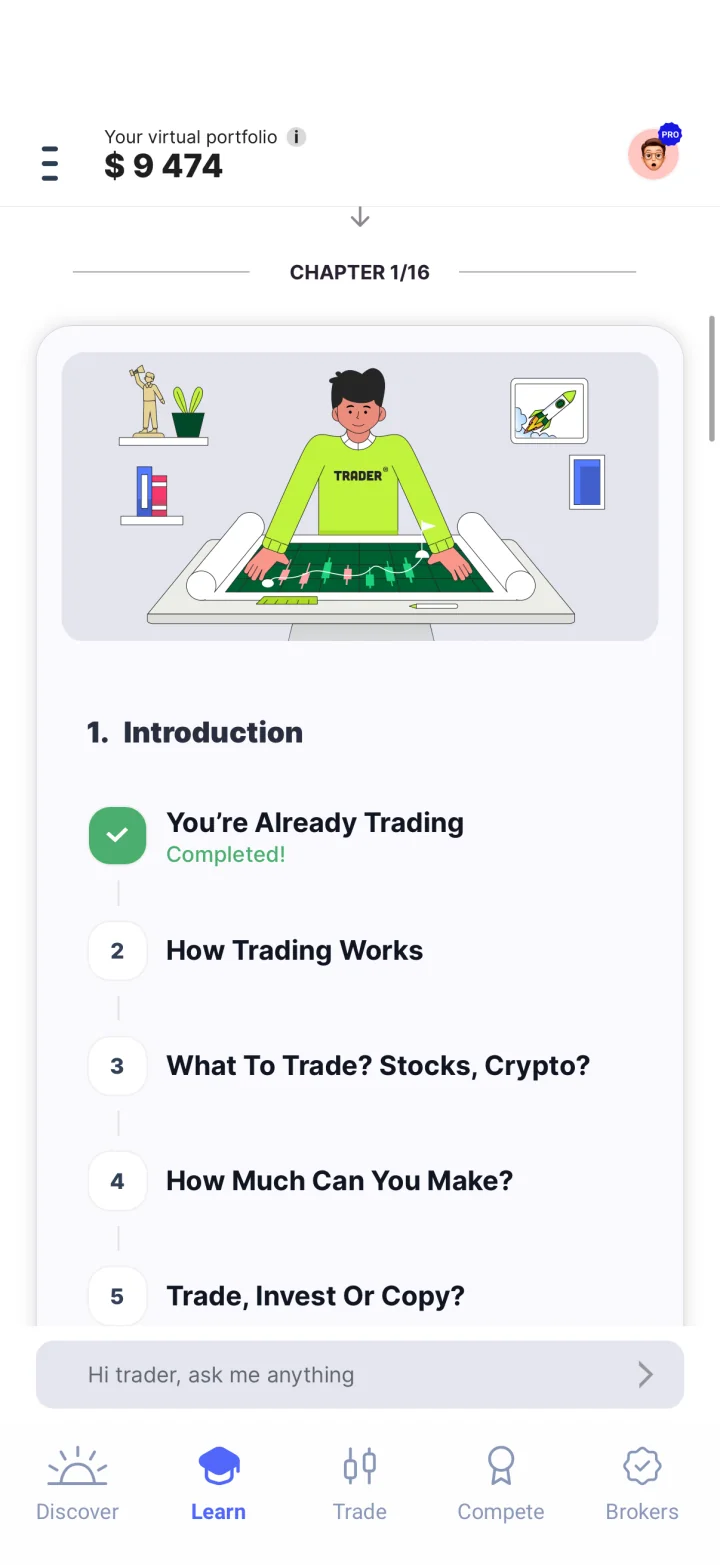
Trading Game connects its chapter sequence to a chart question and virtual practice. For a beginner, that connection matters: a definition of a stop loss is easier to put to work when the next task is deciding where one belongs. Selena450, a self-described complete beginner, says the lessons and simulator made learning feel less intimidating (App Store, 26 July 2026). That is a useful account of the experience, rather than proof of better investment results.
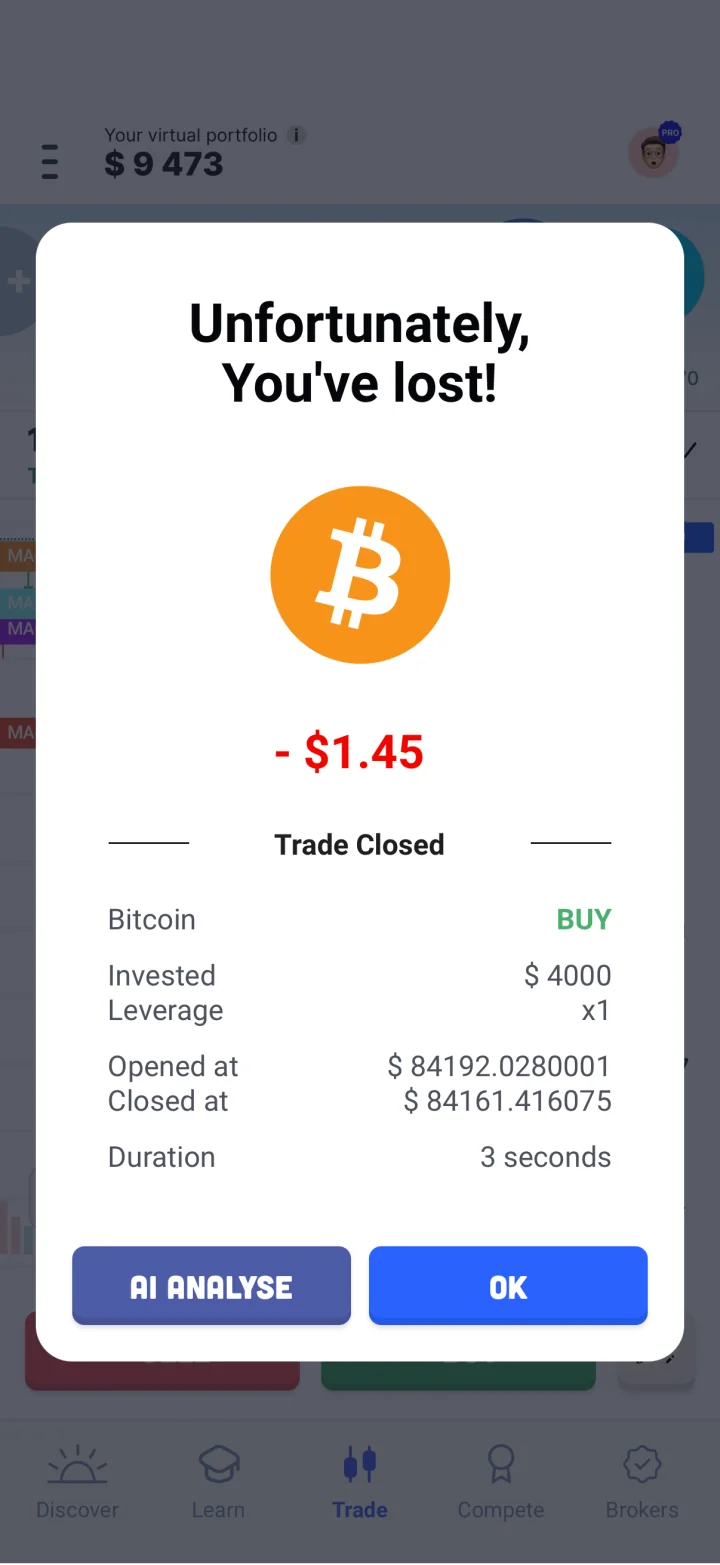
The feedback is the stronger reason I would choose it over Investopedia for short chart exercises. A closed trade has an AI Analyse action; Chart Intelligence marks levels and explains an interpretation, and Max lets you ask about the concept. Use that explanation to revisit your original reasoning: did you have a clear setup, was the exit sensible, or would waiting have been the better decision? The analysis is in beta and can be wrong. It helps when it gives you something specific to question.
Prices update several times a second, which you notice the first time a candle moves while you are deciding. The chart has ten timeframes, from 15 seconds to a month, with drawing tools and the usual indicators: moving averages, RSI, volume, Bollinger Bands, VWAP. You set take profit and stop loss on the ticket before you enter. There is no limit order on the ticket; you buy or sell at the price in front of you.
Trading Battles are ten-minute 1v1 matches against a friend, the AI, or a stranger somewhere in the 100-plus countries the site counts. You will find out how impatient you are in about ten minutes.
The free simulator and fundamental courses include limited weekly Max access and two Copy to Chart uses; Pro expands access. Start with those free tools and check the trading screen itself. The Bluntness Brand reported a no-internet error there while other app sections still worked (App Store, 15 October 2026, version 4.99). Its cause and current status are unconfirmed, but the report is recent and relevant: useful lessons do not compensate for a practice trade you cannot place.
You want a portfolio to follow over months. The long US stock list lets you investigate particular companies and ETFs, record why you selected them and return later to examine the result. That suits the delayed feed far better than a rapid trading exercise.
You run a class or club. Free public and private games, shared rules and no player limit are a substantial advantage. Set the balance and costs deliberately, then test the sign-in and first-order process before asking everyone to join.
You want to learn the order ticket. Market, limit and stop orders, day or good-till-cancelled duration, short selling and options give Investopedia more mechanics to practise than Trading Game's market-entry ticket.
Use the return as a prompt to investigate decisions. Investopedia's own FAQ asks whether simulator success means you can make money in real life. A virtual leaderboard cannot answer that for either product.
I would start with Trading Game for a beginner who wants a concrete next task on a phone. The sequence and feedback address the gap between knowing a term and using it. Confirm that practice works on your device, then decide whether you need more than the free offering.
I would choose Investopedia for a free US-market portfolio, a class game or a fuller order ticket. Its account-management complaint calls for a setup check; it does not cancel the value of those tools or justify calling the whole simulator unreliable.
Use both if you want two different habits. Work through a Trading Game concept and explain a practice decision. Keep an Investopedia portfolio with written reasons for a few selected holdings and review it weekly. The second account earns its place when it helps you study a different question, rather than merely gives you another balance to refresh.
For chart practice, start with a Trading Game chapter and one small virtual trade, then compare its review with your original plan. For portfolio practice, open Investopedia, check that you can sign out and back in, read the game's commission settings and place one order during US market hours. Allow for the documented fill delay. Write down why you chose the holding and a date to review the reasoning. You will learn more from that note than from refreshing the balance twenty times.
Yes. Investopedia says it is free to join and use, with no deposit or financial information. There is no paid tier. Trading Game is free with ads; Pro includes the deeper courses and the full AI coach.
Investopedia uses a delayed exchange feed, so quotes are about 20 minutes old and orders fill about 20 minutes after you place them. Its FAQ says to allow 20 to 30 minutes, and nothing fills outside US market hours or on US bank holidays.
No. Investopedia says there is no simulator app; the website is mobile-responsive and works in an iPhone or Android browser. Trading Game is an iPhone, iPad and Android app, with a web version listed as coming soon.
No. Investopedia has an FAQ with that exact question. Trading Game's AI page says past results in a simulator do not predict anything about real markets. Use the simulator to learn what you would do, not to prove you are good.
Ten stock market simulators compared through practical choices, recent user comments, free lessons, chart controls, broker workflows and classroom tools.

TradingView paper trading vs Trading Game, the stock simulator app: free-plan data, indicators, lessons, feedback, order realism and The Leap, with sources.