

Stocks & investing
Best Stock Market Simulators (2026): 10 Ways to Practise
Compare 10 stock market simulators for beginner lessons, chart practice, broker controls and classroom games. See the useful differences, costs and limits.
A smaller tool set can be useful when the explanation comes with it. A larger, customisable workspace matters when you know what you want to build or test.

Choose Trading Game for familiar indicators taught through visual examples, predictions and virtual practice. Choose TradingView for broad chart customisation, community scripts and order practice in the same workspace.
Try Trading Game · Explore TradingView Paper Trading
Trading Game is made by our team.
Trading Game deliberately selects familiar indicators, including moving averages, RSI, volume, Bollinger Bands and VWAP, and teaches strategies for understanding and applying them. Its sequence is a short visual explanation, a prediction, practice and feedback. Copy to Chart carries an annotated example into your chart; Max explains concepts and helps you reflect on the decision. The aim is to understand why a tool is there before adding another one.
TradingView offers much more scope to customise, with built-in tools, community indicators and strategies for historical testing. You can also build or adapt tools using Pine Script. That breadth is useful when you want a specific calculation or method. If you are still learning what an indicator measures, Trading Game’s focused selection and accompanying explanations give you a more manageable starting point.
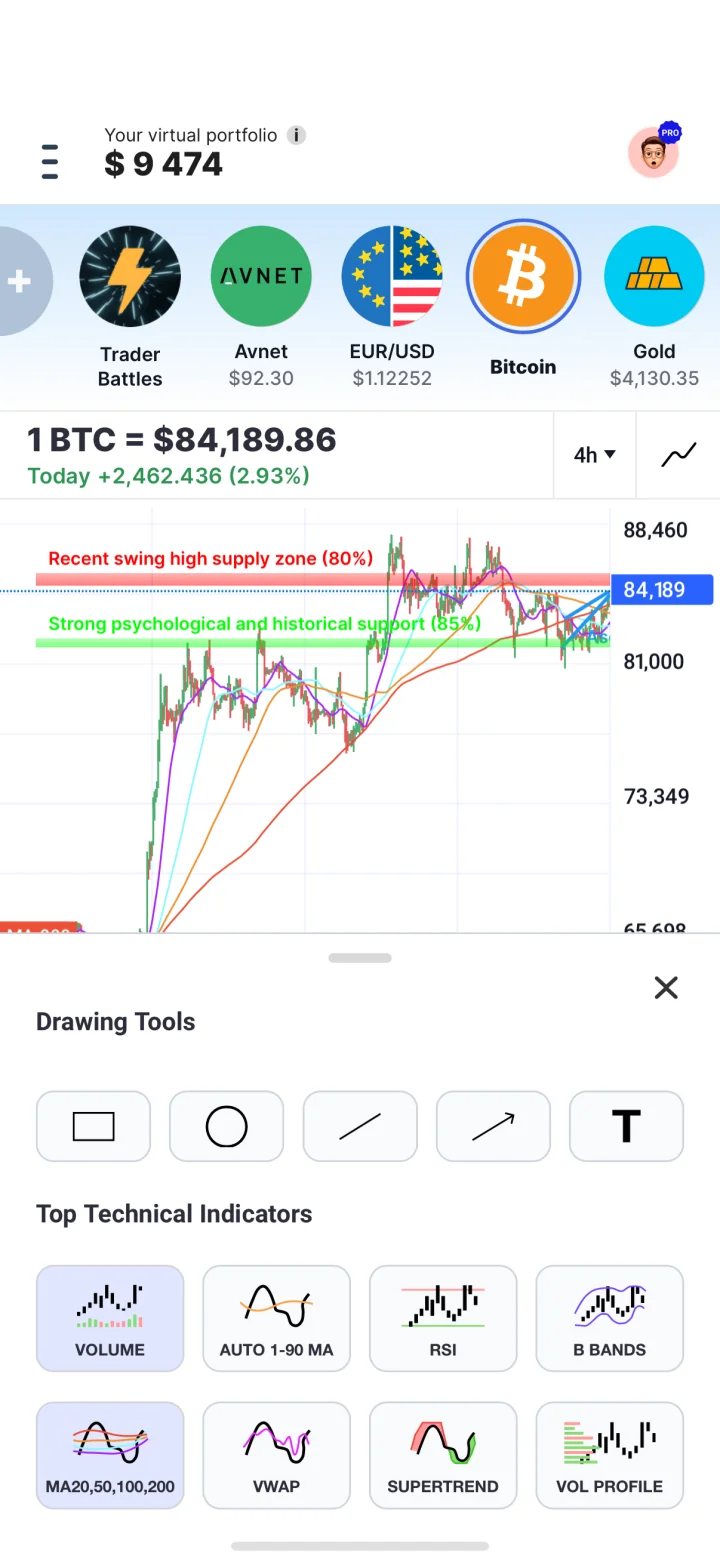
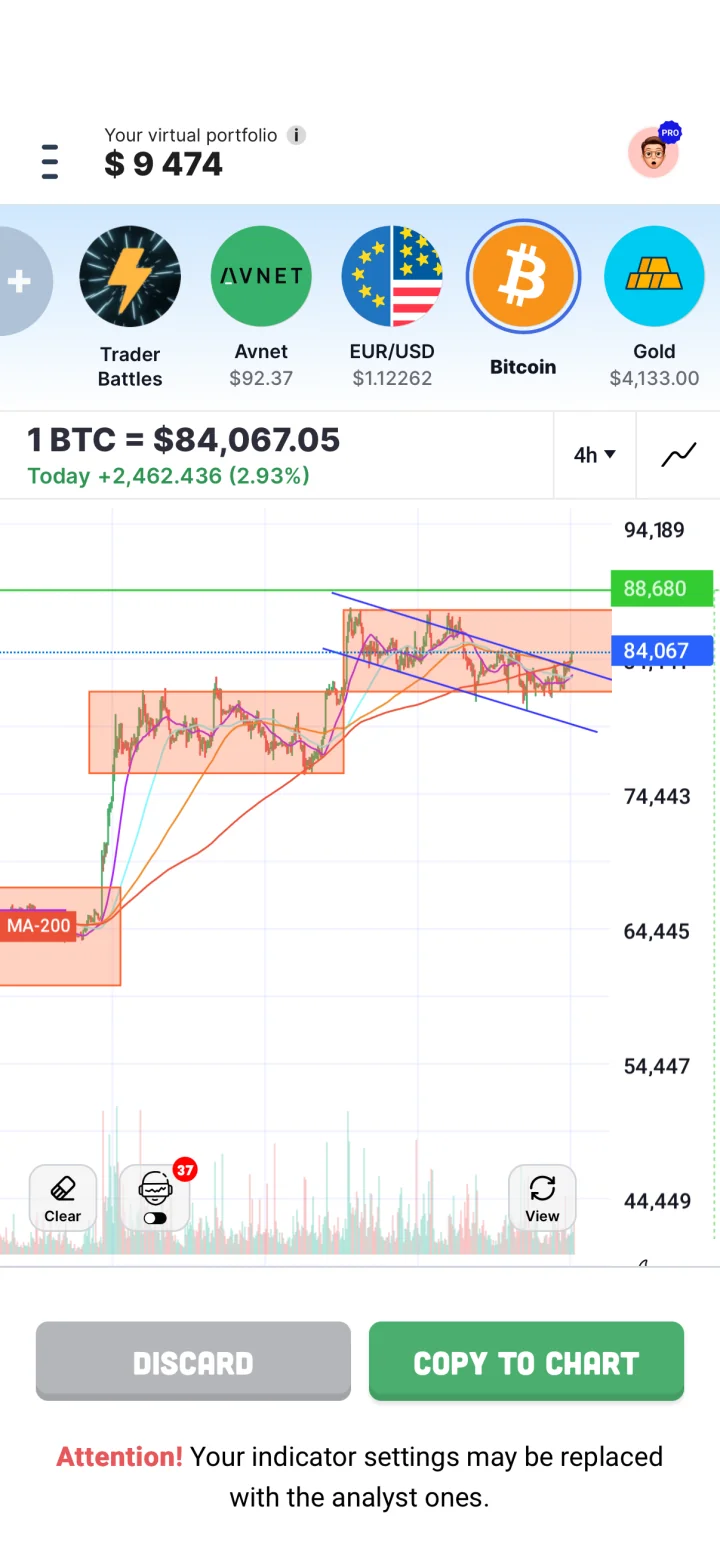
Trading Game screens captured in October 2026. Market values are illustrative; feature access can depend on the plan and app version.
Suppose a share has risen sharply and stalled. In Trading Game, copy the annotated example, predict what would support or contradict the idea, then inspect the result. Its beta chart analyser first considers whether a setup exists and can advise waiting or no trade. Examine its reasoning before trying a suggested entry or exit scenario; beta analysis can be wrong.
In TradingView, draw the level, choose an indicator or script and place a paper order with a clear exit condition. Its paper-trading documentation covers the account, positions and order records. A beautifully coloured chart can still contain a bad idea; the colours are innocent.
Try it yourself
Sort each task by the tool role it needs.
Follow a chapter and answer its chart quiz: A guided explanation. A taught sequence supplies the starting explanation. Draw several levels beside a paper order: A configurable chart workspace. A chart workspace keeps annotations and orders together. Ask for feedback on an unfamiliar concept: A guided explanation. Guidance helps turn an unknown term into a useful question. Choose a chart layout for an existing trading plan: A configurable chart workspace. You already have a plan and need a workspace to investigate it.
What would you expect?
What this shows: Guidance helps you form a question. A workspace gives you tools to investigate one.
Trading Game offers 10 timeframes from 15-second candles to a monthly view, plus light and dark modes. Its composite price stream draws on several sources and refreshes several times per second. Candle duration controls how price observations are grouped; it is separate from the refresh rate. Switching scales lets you examine a quick move in its wider context.
Trading Game starts at $10,000 and permits smaller virtual budgets, including $200 or $500. TradingView lets you reset and change its paper balance. A $50 loss is 10% of $500 and 0.5% of $10,000: use the budget that makes the decision meaningful. A composite feed or paper fill is not an executable quote from your broker.
TradingView Paper Trading is free. Its paid plans add charting capacity and other features; some real-time exchange feeds cost extra. A chart subscription does not include every exchange’s data.
Trading Game’s Free plan includes the simulator, chart tools, AI analysis, fundamental lessons and quizzes, battles and a monthly featured Quick Read. Max access is limited each week, and Copy to Chart has two free uses. Pro provides full coach conversations, advanced courses, the complete book-summary library and unlimited Copy to Chart. Choose the access you will use, rather than comparing headline prices for different tools.
Use a taught example when you are still forming the question. Use a configurable workspace when you can explain what you want to investigate. If another indicator adds noise instead of answering the question, close a panel.
Our practice journal keeps prediction and result together. Compare Webull if your next goal is rehearsing a broker interface.
TradingView paper-trading and pricing information checked 21 October 2026; community-script and Pine documentation checked 22 October 2026. Trading Game features and access reviewed 22 October 2026 using its current pricing information and owner-confirmed product details. We did not test order execution or measure comparative learning outcomes.
TradingView Paper Trading is free. Paid chart plans and some real-time exchange data are separate optional costs.
Yes. Trading Game allows balances below its $10,000 start, including $200 or $500. TradingView lets you reset and adjust a paper account balance.
No. Leverage increases exposure to price changes. Start by understanding an unleveraged position, then investigate leverage deliberately if it is relevant.
Compare 10 stock market simulators for beginner lessons, chart practice, broker controls and classroom games. See the useful differences, costs and limits.
Compare Trading Game’s visual courses, chart practice and feedback with Investopedia’s browser portfolio, order controls and custom games. See free access and limits.