
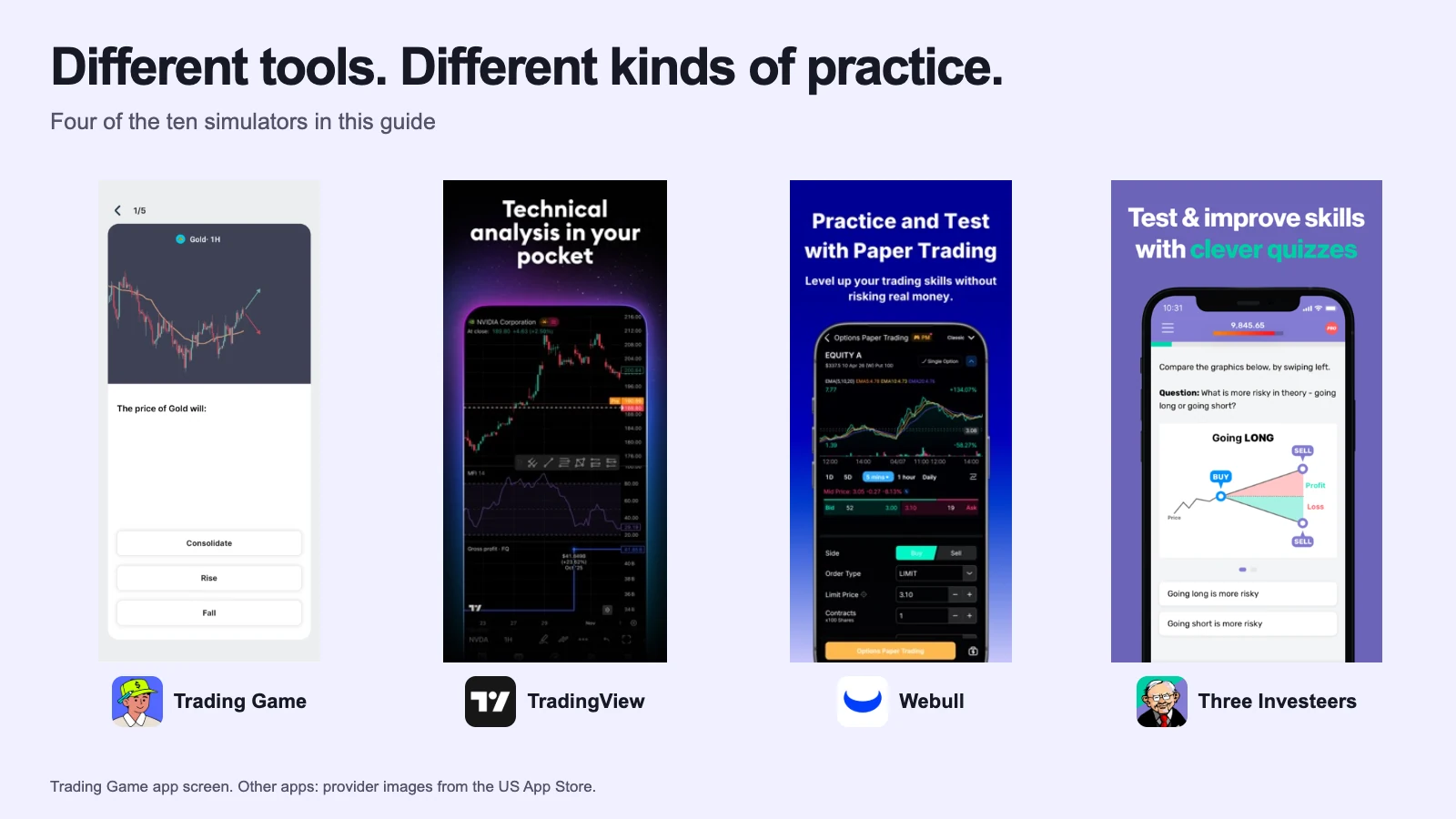
Stocks & investing
Best Stock Market Simulators (2026): 10 Compared
Ten stock market simulators compared on starting money, live or delayed prices, lessons, feedback, broker tickets and class tools, with the best fit for each.
Webull's practice mode is the live broker app with pretend money. Trading Game is a trading school with a live simulator inside it. Here is which one fits you, with the evidence.
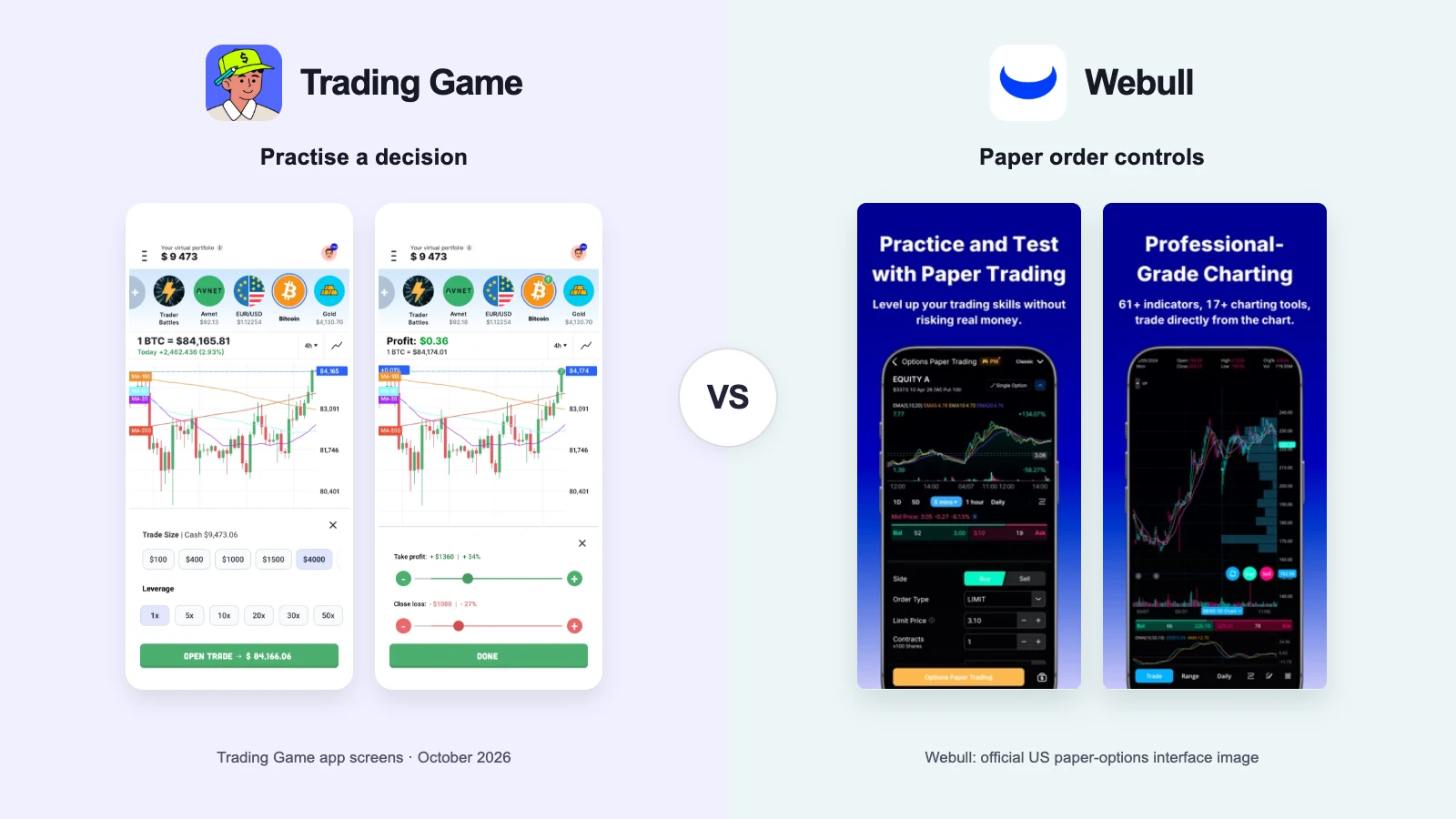
Have a Webull account, or about to? Practise in paperTrade: the real ticket, options, futures, no cost.
If you already have a Webull account, or you have decided to open one, practise in paperTrade. It is the real Webull ticket with pretend money, and the whole point of a broker's simulator is that nothing changes when you switch to real funds.
If you do not have a broker yet, and you are not sure what a stop loss or a trailing stop is, you will get further in Trading Game. It is free and it runs on any phone in 100-plus countries. Every part of it is built to teach: a lesson before the trade, an AI read of the chart, a coach after the trade, and analyst setups you can copy onto your own chart. The starting balance is small enough that a loss means something.
The best plan is both, in that order. Learn in Trading Game until the words are yours. Then rehearse the exact Webull ticket you will use with real money.
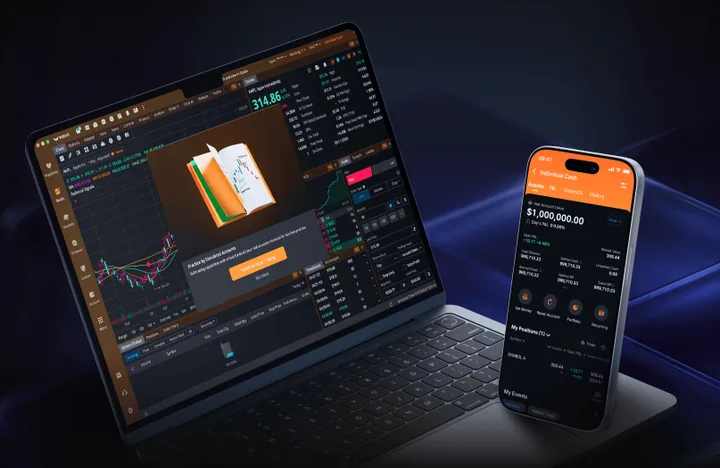
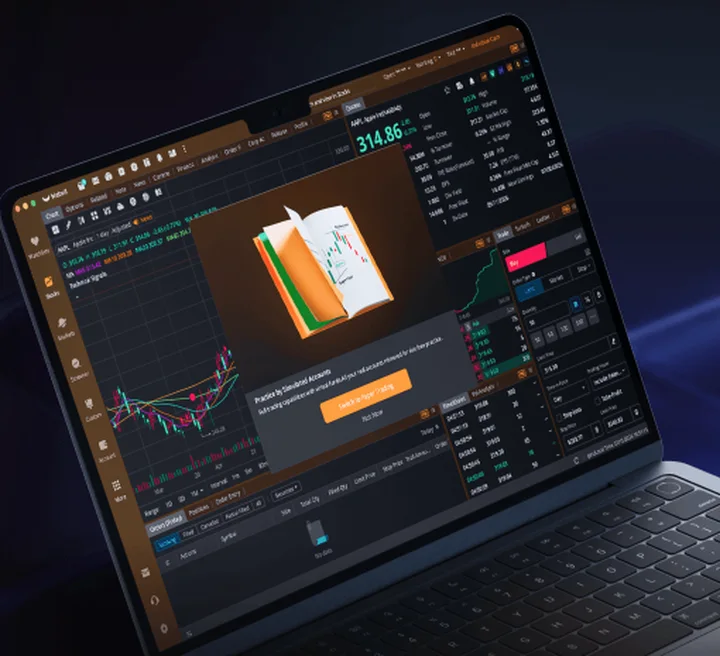
Webull. You need a Webull login. The app opens on the live markets, with the paper account a tab away; Webull marks paper-order buttons in orange so you do not mix them up. You get "unlimited virtual funds", which the Australian page and the product render show as $1,000,000. The ticket is the full broker ticket: market, limit, stop, stop-limit, trailing stop, OCO, and multi-leg options. Margin calls and liquidations are simulated. The help centre says there are two paperTrade systems, a new one on mobile and desktop with everything, and a legacy one that also runs on the web, with fewer features and a 180-day wipe if you stop logging in. The paperTrade screen does not explain what the order types do; Webull Learn, a separate library, does.
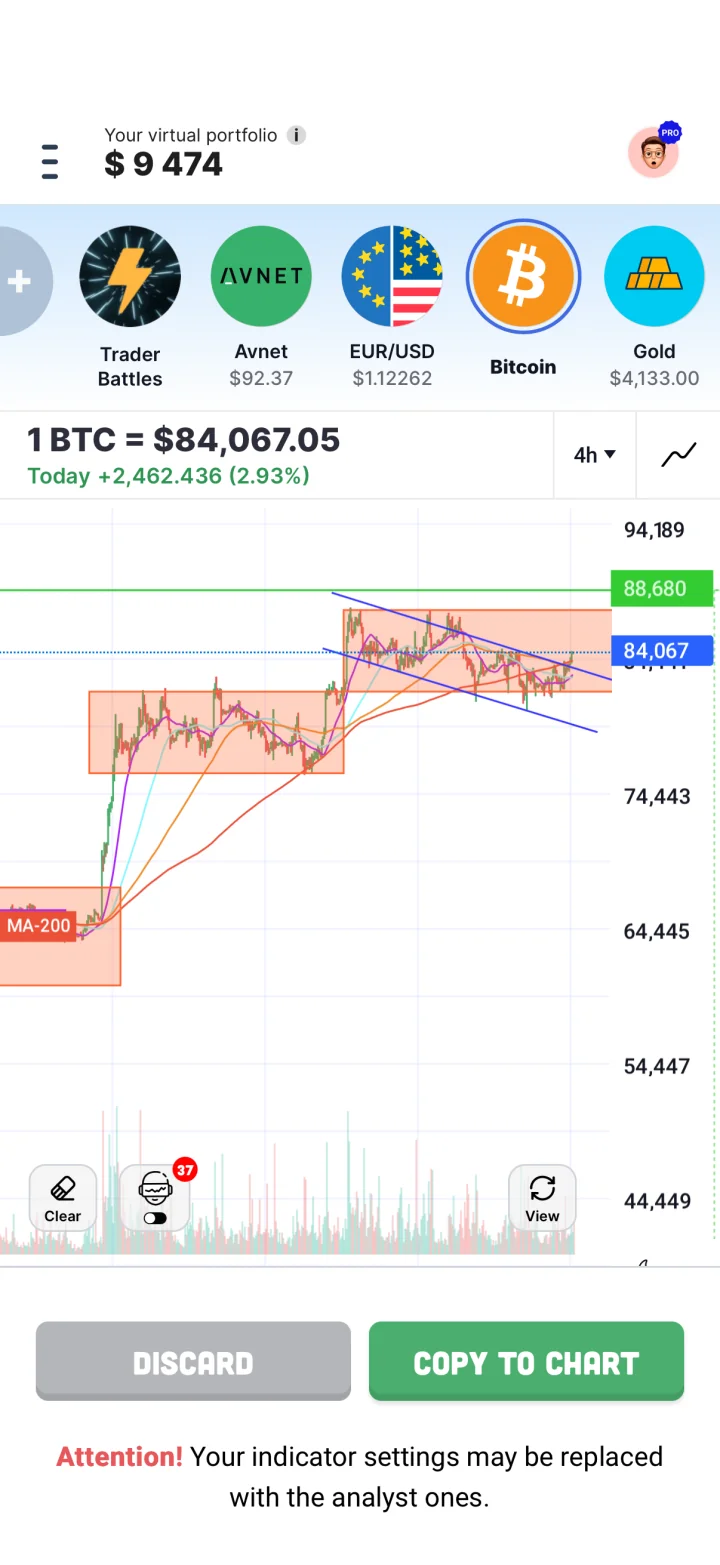
Trading Game. You download it and pick a balance. The site offers $500 to $10,000, and there is a $200 option as well. Start with a chapter, not the ticket. Lesson one is short and illustrated and ends with a chart question. Then you place a practice trade on a live price, with the stop and the target on the ticket, and the app plots the trade on the chart. When you close it, you can tap AI Analyse and the coach tells you what the price did and whether you traded it well or just got lucky. Under Daily Insights there are two analyst setups a day, one at the European open and one at the US open, drawn on a chart and explained for beginners. Copy to Chart puts one on your own chart in a tap so you can study it, move the lines, and trade the idea with virtual money.

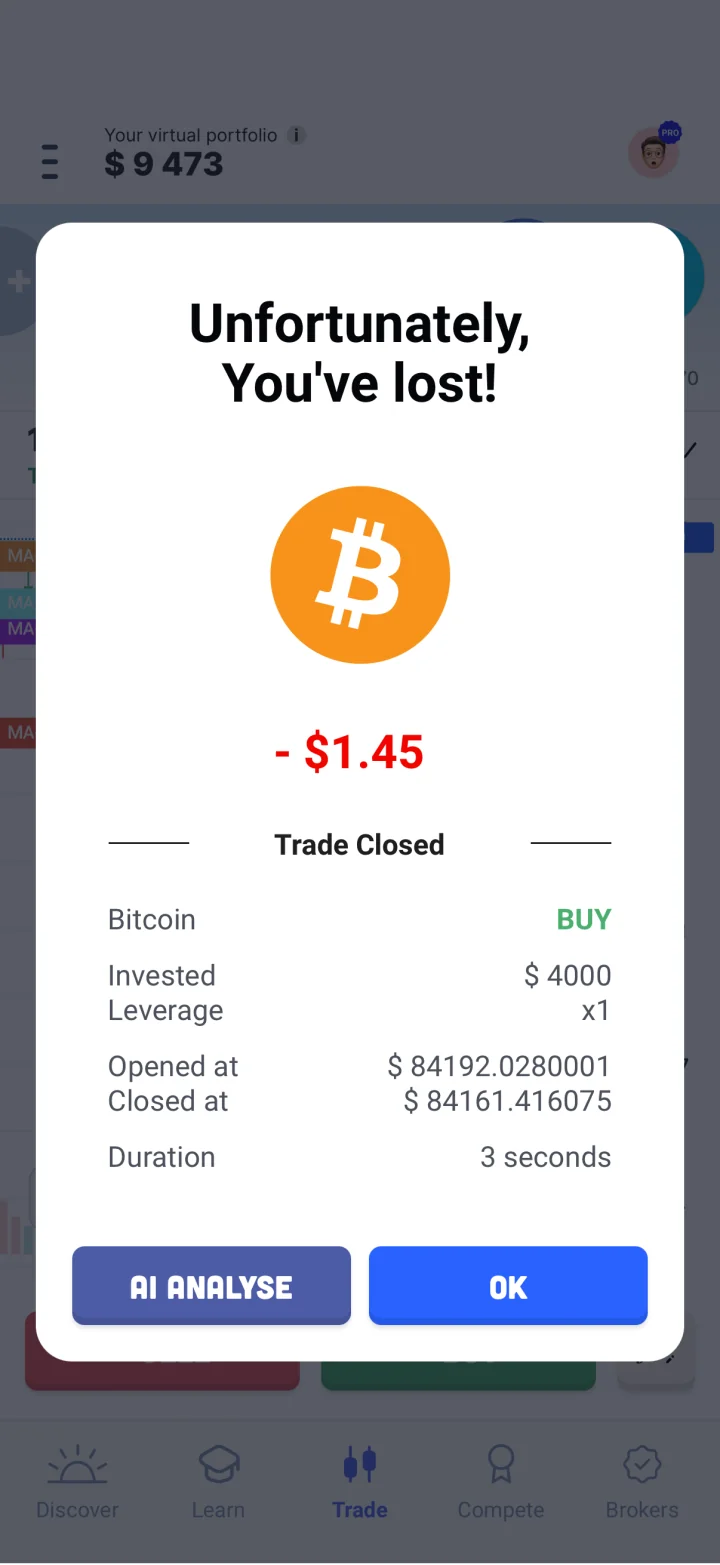
It is easy to file Trading Game under "simulator with lessons" and move on. That undersells it. The simulator is the practice floor; the product is everything that stands around it.
Someone shows you the trade. Every trading day, Trading Game's analysts publish the most promising setup at the EU open and again when the US opens, with the levels drawn on the chart and the reasoning written for someone who has never read a chart. One tap copies the whole drawing onto your practice chart. You can move the lines, add your own, and take the trade with virtual money. Free users get two copies; Pro is unlimited. Webull has nothing like it; TradingView's community ideas are the nearest thing, and nobody is writing those for beginners.
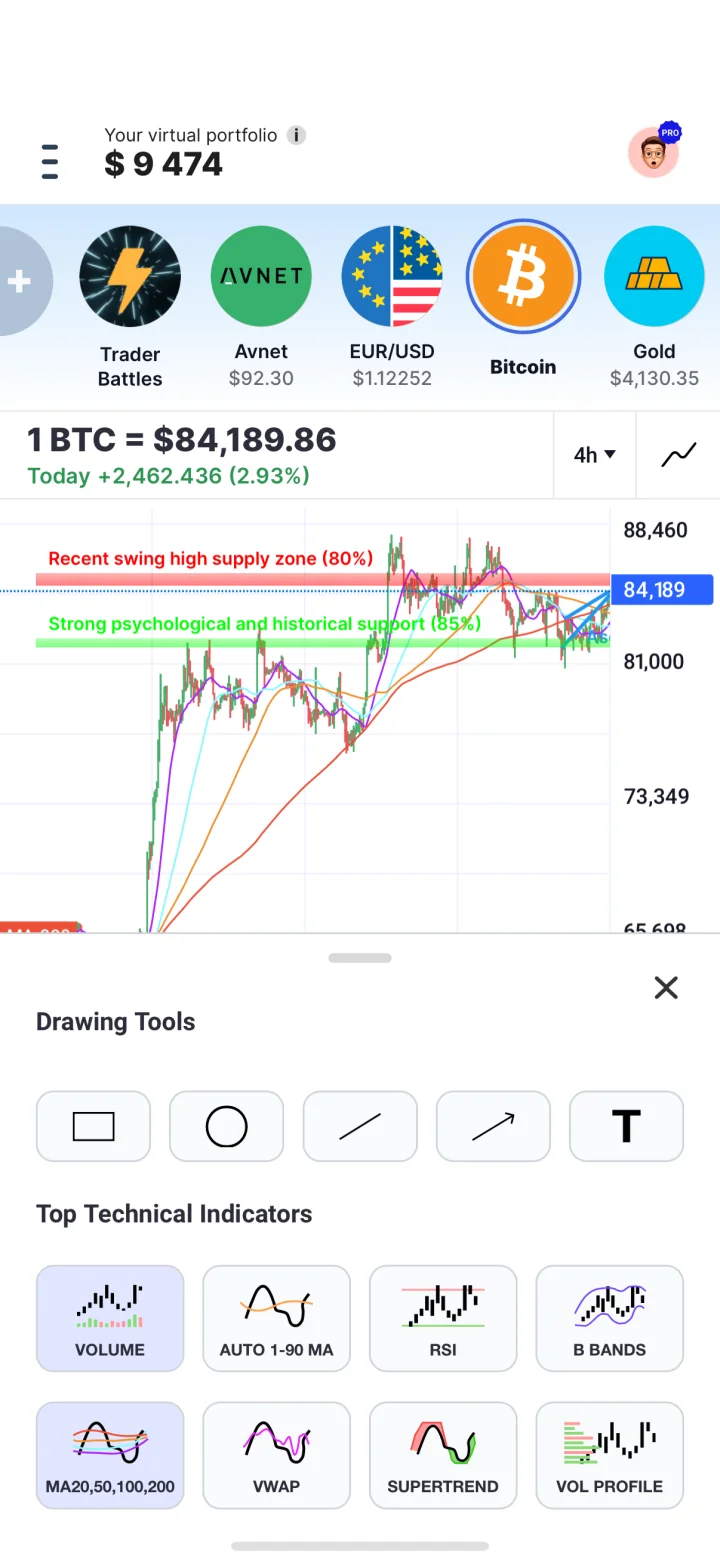
The chart talks back. Tap the robot icon on any chart and Chart Intelligence reads it the way a day trader, swing trader or investor would: trend, levels, patterns. It says what it sees, what it would do, what would change its mind, and how confident it is. Draw your own trendlines first and it checks them. It links each pattern to the Academy lesson that explains it. It is in beta, and its own help page says it can be wrong, which is the right thing for a teaching tool to say.
Then someone marks your work. Max, the AI coach, reviews a closed trade: was the entry thoughtful, did you hesitate, did you leave early, was that a revenge trade. The coach follows a process we refined over years of watching beginners; the chart analyser is trained on millions of practice trades made in the app. Free users get a message allowance that resets each week; Pro gets the full conversation.
Volume is on the chart. Trading Game's indicator set is short on purpose: volume, Volume Profile, RSI, VWAP, Bollinger Bands, SuperTrend and four moving averages, with an auto-MA that shows which average has worked best on that timeframe. Webull has sixty-plus indicators. Trading Game's argument is that volume is the one a beginner cannot trade without, and that a short list you understand beats a long one you do not.
Ten timeframes, from 15 seconds to a month. So you can practise scalping on Tuesday and position sizing for a year on Wednesday, and find out which one suits your temperament. The market-hours screen shows what is open in your time zone and when the busy hours fall, which is when our analysts publish.
Pressure, on purpose. Trading Battles are ten-minute matches against a friend, the AI or a stranger. You see their positions but not their score. Play a friend and you can sabotage them: cut their connection for ten seconds so they cannot close a trade. I am not sorry about this one. The weekly leaderboard, with the top three shown all week, is the rank people care about. Pattern Hunter is a timed daily pattern quiz with no hints. None of this exists in a broker's practice mode, which has a different job: getting you comfortable with that broker's ticket.
And the books. Quick Reads are slide summaries of the books traders pass around: The Intelligent Investor, Psychology of Money, Atomic Habits, The Great Crash. We drew about 28 illustrations per chapter where the originals average eight. One is free each month; the library is Pro. The reasoning is worth repeating: there is no one strategy for everyone, and an app that sells you one is selling. The course, the coach and the books are there to help you find the style you can actually stick to.
What is free: the whole simulator with live prices, the chart tools, the AI chart read, and the coach with its weekly allowance. Also free: two Copy to Chart uses, the intro lessons with a strategy to try, one book a month, battles, the daily pattern game, leaderboards, stats and your trade history. What Trading Game does not have: limit orders, options, futures, a web version (listed as coming soon), or a real account to switch to. It is a classroom with a trading floor in it, not a brokerage.
You will trade on Webull. Then paperTrade is the only sensible answer. Same ticket, same charts, same quirks, and a one-tap switch to real funds when you are ready. Practising anywhere else means re-learning the ticket later.
You want options or futures. Multi-leg options strategies, futures and event contracts are all in paperTrade. Trading Game has none of them.
You want the fullest free simulator. paperTrade costs nothing and holds nothing back; only Level 2 may sit behind a data package, and Webull does not say. What Webull sells is around it: data packages and Webull Premium for the real account.
Two cautions from Webull's own pages. Options quotes in paperTrade are delayed 15 minutes unless you subscribe to OPRA on a real account. And the paperTrade page says option exercise is simulated while the older options guide says contracts are closed at the closing price on expiry instead; the two may describe the new and the legacy system. If exercise matters to you, test it in the system you use.
Ten things a beginner meets in the first week, and which app fits each one better. No totals; the row that matters is the one about you.
| What you need | Trading Game | Webull paperTrade | Better fit |
|---|---|---|---|
| Starting money | $500 to $10,000 on the first screen, and a $200 option | "Unlimited virtual funds", shown as $1,000,000; the legacy system lets you type a balance | Trading Game. A balance you could really lose is the point of practice. Webull lets you type a small one in the legacy system, but the default is a million. |
| Prices | Live, several updates a second, on everything | Stocks live with the Level 2 order book; options quotes 15 minutes delayed unless you pay for OPRA on a real account | Either. Both are live for stocks. Webull adds the order book; its options quotes lag unless you pay. |
| Markets | 220+ assets: stocks from four exchanges, ETFs, indices, forex, commodities, crypto | US stocks, ETFs, options including multi-leg, crypto, futures and event contracts; fewer outside the US | Webull paperTrade. Webull has more instrument types. Trading Game has more markets. Options and futures decide it for most people. |
| The order ticket | Preset size, leverage 1x to 50x, stop and target; no limit orders | Market, limit, stop, stop-limit, trailing stop, OCO, grouped orders; margin calls simulated | Webull paperTrade. Webull's is the live broker ticket. If you will trade on Webull, rehearse on it. |
| Learning what to do | 150+ lessons in order, a free 28-day plan, Pattern Trainer, book summaries | Webull Learn is a separate library; the paperTrade screen does not tell you what to do next | Trading Game. Webull assumes you know what a trailing stop is. Trading Game assumes you are about to find out. |
| Feedback on a trade | AI chart read before, AI coach review after, on the trade you made | Strategy builder and backtests; nothing reviews a losing trade | Trading Game. This is the gap. A broker's simulator shows you the result. A coach tells you why. |
| Charts | Drawing tools, volume, RSI, VWAP, Bollinger, SuperTrend, Volume Profile, four MAs; 10 timeframes from 15 seconds | 60+ indicators, 17+ drawing tools, the same charts as the live app | Webull paperTrade. Webull's chart is a trader's chart. Trading Game's has what a beginner needs, including volume, and nothing to hide behind. |
| Countries | 100+ countries | paperTrade pages for the US, Canada, Australia and Singapore; we did not check the UK | Trading Game. If you are not in one of Webull's countries, this row ends the comparison. |
| Price | Free with ads; Pro $19.99 a month or $54 a year on the current offer | Free; Webull sells data packages and Premium around the real account | Webull paperTrade. Webull's simulator holds nothing back. Trading Game keeps the full coach and the deep courses for Pro. |
| Playing against people | 10-minute battles with friends, the AI or strangers; weekly leaderboard | A Canadian paper-trading competition this autumn; nothing built in otherwise | Trading Game. Webull is a brokerage. Trading Game is a game, and the battles are the proof. |
Every Webull cell comes from its paperTrade pages, help centre or store listings. Trading Game is ours, so its cells come from the app itself, its Pro page and its help centre. All read on 24 October 2026.
| Trading Game | Webull paperTrade | |
|---|---|---|
| Starting money | You choose: $500 to $10,000 on the site; $200 is offered as well (default $10,000). Reset in Settings to start over | 'Unlimited virtual funds', reset or reload any time; US pages give no default figure; Webull Australia page says $1,000,000 virtual cash; legacy system lets you type any Net Account Value |
| What it costs | Free with ads. Pro $19.99 billed monthly, or $89 a year shown at $54 on the current offer: full AI coach, advanced courses, the full book library, unlimited Copy to Chart, no ads | Free |
| Sign-up | Download and start; a free account saves progress | A Webull login is required; regional pages say 'Open an account today'; Google Play rates the app 18+ (Real Gambling/Paid Contests), App Store 4+ |
| Where it runs | iPhone and iPad (iOS 15+), Android. Web version listed as coming soon | Mobile (iOS, Android), desktop app and web; the new paperTrade system is mobile and desktop apps only, legacy system on all platforms |
| What you can trade | 220+ assets: stocks from NYSE, LSE, NSE and Tokyo, 15 ETFs, indices, commodities, forex pairs and crypto | US: stocks, ETFs, options including multi-leg, crypto, futures, event contracts; Canada: stocks, ETFs, US options; Australia: US shares, ETFs, options |
| Price data | Real time; prices update several times a second | Real-time fills; advertised in paperTrade (whether free for all users not spelled out; the live app sells Level 2 Advance $2.99, OPRA $2.99) |
| Order types | Market entry with preset trade sizes and leverage from 1x to 50x; take profit and stop loss set on the ticket | Market, limit, stop, stop-limit, trailing stop, OCO; new system adds conditional, algo and grouped orders (OTO, OTOCO); market orders fill only in regular hours; no fill without volume |
| Simulated fees | None; buy and sell prices differ like real markets | Not stated; regional pages call it commission free |
| Lessons | 150+ illustrated Academy lessons with quizzes in a 16-chapter path (fundamental courses free, advanced in Pro); a 28-day plan; Pattern Trainer and a timed daily pattern game; Quick Reads book summaries (one free a month) | Webull Learn, courses, webinars and Market Insight as separate resources; Australia page cites '500+ lessons with videos and training'; no curriculum tied to progress |
| AI and feedback | Chart Intelligence reads the open chart, draws the levels, gives a buy, sell or wait scenario with a confidence level and checks your own drawings (beta; its help page says it can be wrong). Max, the AI coach, reviews a closed trade and answers questions (limited free, full in Pro). Daily analyst setups at the EU and US open; Copy to Chart puts them on your chart (2 free, unlimited in Pro) | AI can help build strategies to test against live data; Portfolio Blueprint and Crypto Grid Trading tools; July 2026 OpenAPI for paperTrade; Vega AI tools informational; no AI coach for paper trading |
| Charts | Candlestick and line charts, 5 drawing tools, indicators including volume, RSI, Bollinger Bands, VWAP, SuperTrend, Volume Profile and four moving averages, 10 timeframes from 15 seconds to 1 month | 60+ technical indicators and 17+ charting tools (Canada page: 20); same charts as live; Turbo Trader and Ladder Trader layouts |
| Games and contests | 10-minute 1v1 Trading Battles against a friend, the AI or anyone; weekly, battles and friends leaderboards (no prizes); daily timed pattern game | No current US contest on the page; Webull Canada Paper Trading Competition 9 Nov to 11 Dec 2026, $100,000 virtual, $50,000 in real rewards ($25k/$15k/$5k plus weekly $1,000), stocks and ETFs only |
| Who can use it | Worldwide; the site says 100+ countries, including the US, Canada, UK and Australia. App Store age rating 4+ | Pages for US, Canada, Australia, Singapore (we did not check the UK); crypto/futures/events US only; brokerage accounts normally 18+ |
| Languages | Six in the app (the App Store listing shows English) | iOS listing: English, Simplified Chinese, Traditional Chinese |
| Trading hours | Follows each market; forex generally 24/5 and crypto 24/7; a market-hours screen shows what is open in your time zone | New system: eligible US stocks 24 hours Mon-Fri (overnight included); options 9:30-16:00 ET; crypto and events on weekends; legacy 4:00-20:00 ET |
| Starting over | Pick a new balance when you start over (statistics and history are deleted) | Reset any time from the account menu; legacy data auto-cleared after 180 days of inactivity; multiple simultaneous paper portfolios not described |
Try it yourself
Sort each goal to the app that fits it better, by the facts above.
Trading Game for lessons, analyst setups, AI coaching, a small budget and worldwide access. Webull for the full order ticket, options, futures and Level 2.
What would you expect?
What this shows: Webull rehearses the ticket. Trading Game trains the trader. Do them in that order.
paperTrade is Webull's live app with virtual money, so it is as real as a free ticket gets. Trading Game teaches first: lessons, analyst setups, an AI read before the trade and a coach after it. Learn in one, rehearse in the other.
Pick Webull paperTrade if you already trade, you intend to open a Webull account, or you need options, futures or a limit order that waits.
Pick Trading Game if you are new, you learn on a phone, you live outside Webull's countries, or you want someone to show you the trade and then tell you how you did.
A first week that works: day one, Trading Game, $500, chapter one. Day two, one trade with a stop; read the coach's review. Day three, copy the morning analyst setup onto your chart and trade it. Day four, if you are in one of Webull's countries, open paperTrade and only look. Day five, place the same trade in both with the same stop, and notice which app made you think before you tapped.
Yes. Webull calls it zero-cost practice. Only Level 2 may sit behind a data package, and Webull does not say. The app sells live data packages and Webull Premium for the real account.
You need a Webull login, and Webull's regional pages push you to open an account. The official pages do not say an approved brokerage account is required for paper trading. Google Play rates the app 18+, under its paid-contests category.
Webull says unlimited virtual funds that you can reset or reload at any time. Its Australian page and its product images show $1,000,000.
Webull publishes paper-trading pages for the US, Canada, Australia and Singapore, with different assets in each; crypto, futures and event contracts are US only. Trading Game lists 100+ countries.
Ten stock market simulators compared on starting money, live or delayed prices, lessons, feedback, broker tickets and class tools, with the best fit for each.

TradingView paper trading vs Trading Game, the stock simulator app: free-plan data, indicators, lessons, feedback, order realism and The Leap, with sources.